gRPC Docs logo # Interactive gRPC API Documentation [![NPM](https://img.shields.io/npm/v/grpc-docs.svg)](https://www.npmjs.com/package/grpc-docs) [![JavaScript Style Guide](https://img.shields.io/badge/code_style-standard-brightgreen.svg)](https://standardjs.com)

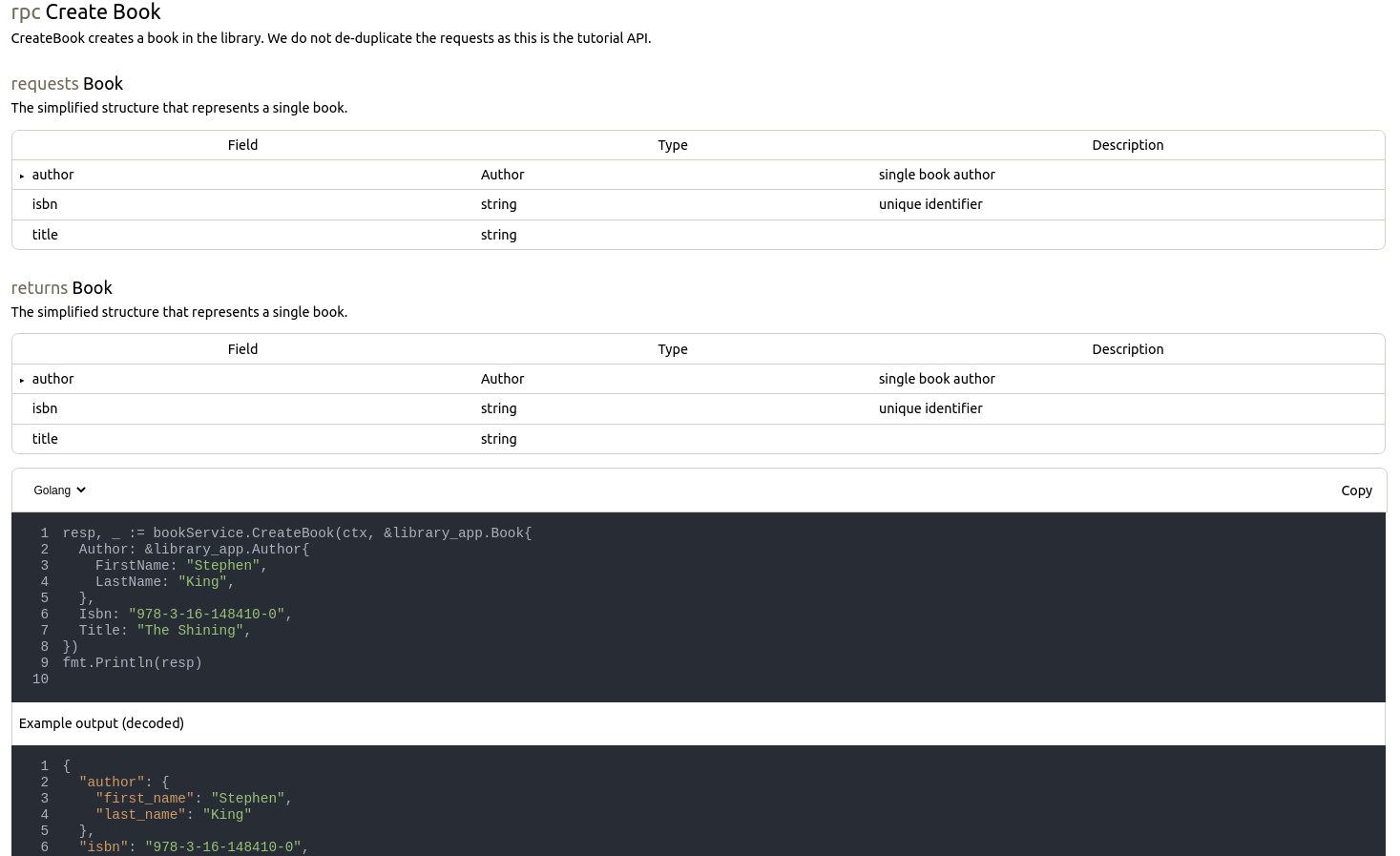
We're like Swagger UI, but for gRPC APIs. Give us a star if you like the project. ## Live demo Live demo is available at [https://gendocu-demo.web.app/](https://gendocu-demo.web.app/). gRPC Docs logo ## Quickstart ```bash docker run -rm --network host \ -v :/input \ -v $(pwd)/output:/output \ gendocu/grpc-docs ``` ## Install Only for node 12+ (you can check your node version with `node -v`) ```bash npm install --save grpc-docs ``` Or ```bash yarn add grpc-docs ``` ## Usage You can find all the integration types in `example/src/App.tsx` file. You can use this widget standalone or with GenDocu Cloud gRPC CI/CD. Feature comparison is below. ### Running example 1. Clone this project 1. Go to `example` directory and use `yarn start` to run the frontend 1. In case you want be able to modify the library open the repository root directory in second terminal and run `yarn start` ### Standalone within existing react frontend 1. Install `grpc-docs` - instruction in Setup section 1. Generate json description from protobuf api with project [protoc-gen-doc](https://github.com/pseudomuto/protoc-gen-doc): `protoc --doc_out=./ --doc_opt=json,description.json *.proto` 1. Inside your React project create API Reference component - you can see example of usage in `example/src/App.tsx` ```tsx import React from 'react' import { GRPCSelfGeneratedAPIReference } from 'grpc-docs' const Example = () => { // return // return return } ``` 4. [optional] You can also provide the environments and authentication description - add `scheme='path-to-scheme-file.yaml'`. Use [GenDocu Cloud Api Specification Scheme](https://wiki.gendocu.com/docs/providing-grpc-api-information/#providing-grpc-api-information-to-gendocu-generator). You can find example file [here](https://github.com/gendocu-com-examples/library-app/blob/master/proto/gendocu_apispec.yaml). ### Hosting the generated protoc JSON behind auth. You can provide a protoc definition as text directly to the `` component. So you should be able to fetch your hosted json with the correct headers and provide it to the compoenent in the definition prop. ```tsx import React from 'react' import { GRPCSelfGeneratedAPIReference } from 'grpc-docs' const Example = async () => { const resp = await fetch('my-company.com/protoc.json') const definition = await resp.text() return } ``` ### With GenDocu 1. Install `grpc-docs` - instruction in Setup section 1. Create a project on [Gendocu Cloud](https://gendocu.com) 1. Use component inside your React project ```tsx import React from 'react' import { GRPCGenDocuAPIReference } from 'grpc-docs' const App = () => { //return return } export default App; ``` You can also implement your own backend wrapper - API documentation is available [here](https://doc.gendocu.com/gendocu/api/GendocuPublicApis). ## Feature comparison | Feature | Standalone gRPC-docs| gRPC-docs with GenDocu | GenDocu Developer Portal | | --- | --- | --- | --- | | Setup steps | ✅ | ✅ | ✅ | | API Reference | ✅ | ✅ | ✅ | | Code snippets | ❌ | ✅ | ✅ | | Password protected documentation | ❌ | ✅ | ✅ | | Programming languages | 1 | 6 | 6 | | Environment selection | ❌^ | ❌^ | ✅ | | Authentication description | ❌^ | ❌^ | ✅ | | Try it out | ❌ | ❌^ | ✅ | | RBAC protected documentation | ❌ | ❌ | ✅ | | SSO | ❌ | ❌ | ✅ | ^ to be implemented ## Customize style To create your own styled documentation change the implementation in `style/default` - you can find there all the files implementing the UI of documentation. We strongly recommend to create own style directory, like `style/my-style` instead of overwriting the `style/default` components. ## Troubleshooting 1. `... is not allowed. Add this origin in your documentation settings`. You have to add the host in your GenDocu project settings. If the project is not owned by you, ask project owner. ## License MIT © [gendocu-com](https://github.com/gendocu-com)